



When a patient breaks a bone or suffers a sudden fever spike, they need immediate help. This sense of immediacy is exactly what drives urgent care.
According to Google data, “near me” searches for health-related services have doubled in recent years, signaling a major shift toward immediate, location-based search intent. To capture this demand, Google Ads for urgent care is necessary as it can place your clinic directly in front of patients the moment they realize they need medical attention.
Unlike other industries, simply bidding on urgent care keywords is not enough. You need a strategic approach, or your budget will evaporate on clicks from users seeking similar services.
How then do you target these high-intent patients?
Let’s explore the technical strategies required to master Google Ads for urgent care centers.
Why Strategic Google Ads for Urgent Care Is Non-Negotiable
Patient acquisition channels vary widely in the medical industry. While direct referrals, word-of-mouth, and brand reputation top the chart, visibility and convenience are the priorities in urgent care marketing.
An orthopedic surgeon might rely on doctor referrals, while brand reputation and social proof may be sufficient for a plastic surgeon. However, urgent care is different.
When urgent care needs arise, patients often cannot wait to ask their neighbors. Instead, many use mobile search and voice assistants like Siri and Google Assistant to locate the nearest care centers around them.
Consequently, clinics that aren’t optimized for these platforms lose out on high-intent searchers. If your clinic does not rank in the top three spots for these high-intent queries, you are ceding patients to the hospital or clinic that does.
Google Ads for urgent care allows you to appear in the Map Pack and at the very top of search results from the moment your search campaign is launched.
Win the visibility your brand needs. Contact Blacksmith Agency to launch your next Google Ads campaign.
How to Target High-Intent Customers With Google Ads for Urgent Care Centers
There are several steps you need to take if you do not want your Google Ads for urgent care advertising to be a money drain. We have outlined a few of them that have helped us lower the CPC of our clients while generating more revenue for them.
1. Define High-Intent Keywords for Urgent Care Advertising
As with any ppc strategy, success in urgent care advertising starts with keyword selection. The right keywords will help you maximize your budget, while the wrong keyword choice will become a cost-drain.
The best keywords to choose when targeting high-intent patients are transactional keywords. You must focus your budget on keywords that imply an immediate need for a visit.
Examples include “Urgent care near me,” “Walk-in clinic open now,” “X-ray near me,” and “Stitches clinic.” Clearly, these users are ready to drive to you.
Keyword Match Types Strategy
For Google Ads for urgent care, relying too heavily on broadly matching keywords can be dangerous. It opens the door to irrelevant traffic. Instead, use phrase match and exact match.
- Phrase Match: Use this for terms like “urgent care in [City Name]” to ensure you capture variations while maintaining relevance.
- Exact Match: Reserve this for your highest value terms, like “closest walk-in clinic,” to bid aggressively on users who are most likely to convert.
High vs. Low Intent Keyword Examples
| Keyword Type | Example Query | Intent Level | Action Strategy |
| Navigational | “CityMD near me” | High | Bid on competitor names if the budget allows. |
| Transactional | “Urgent care open early” | Very High | Bid aggressively. |
| Symptom-Based | “Do I have the flu?” | Low/Medium | Use lower bids. Direct to blog content. |
2. List Negative Keywords
Since the medical field has a lot of overlapping terms, what you don’t target is just as important as what you do. This is even more important if you don’t want your Google Ads for urgent care to drain your budget.
You must proactively build a negative keyword list to prevent your ads from showing for irrelevant searches. For starters, you should avoid the following
- Veterinary Terms: Users often search for “urgent care for pets.” So you want to list this as a negative keyword. You may also exclude other keywords like dog, cat, pet, and vet.
- Emergency Room Terms: While you treat urgent issues, you may not handle life-threatening trauma. As such, you want to exclude words like “ER,” “Emergency Room,” and “Trauma Center.” Clicking on your ad only to realize you aren’t an ER, frustrates the patient and raises your ad spend without necessary results.
- Free/Low Cost: Unless you accept “Medicaid” and offer free services, you also want to list these as negative keywords. If you don’t, you’re going to have clicks that do not add to your revenue.
3. Hyperlocal Targeting for Maximum Impact
Most patients are unwilling to drive more than 15-20 minutes when they need urgent attention. They will rather go somewhere they can easily walk into. Therefore, your Google Ads for urgent care advertising must be geographically precise. To achieve this, you can combine radius targeting with location exclusion.
Radius Targeting
Instead of targeting an entire city (which might prove too broad, especially in bigger metropolises like New York or Chicago), target a defined radius around your clinic location.
In our experience, creating a tiered bidding structure works best. A 3-mile radius with a +50% bid adjustment (these are your most likely patients) and a 5-10 mile radius with a standard bid will get you the best results.
Beyond this, you want to make sure your location extensions are active. When a user searches “urgent care near me,” Google uses their device’s GPS to determine relevance. If your location targeting is set up correctly, you will appear in the Local Search Ads map pack.
Location Exclusion
Exclude your ads from geographic locations you know patients won’t travel from. If there is a river, highway, or traffic barrier that makes reaching your clinic difficult for a specific zip code, exclude that zip code to improve your conversion rate.
Strategically blocking your ads from appearing in these places allows you to optimize your ad spend, improve your conversion rate, and deliver your promotion to areas where your services or promotions can be accessed.
4. Crafting Ad Copy That Drives Urgent Action
When a parent is holding a crying baby with an ear infection, they are not looking to read about your clinic’s history. They want to know three things
- Where are you?
- Are you open?
- Do you take my insurance?
Your ad copy, at the very least, must address these questions. Additionally, it must be concise and benefit-driven, stating what sets you apart from every other urgent care center. For example, “Accepting most insurance. X-Rays and Lab on-site. Average wait time under 10 minutes.”
Dynamic Keyword Insertion (DKI)
You can also use DKI to make your ads more relevant. For instance, if a user searches for “Broken bone clinic,” DKI can allow your headline to automatically update to “Treat Broken Bones Nearby,” increasing the likelihood of a click.
High clicks but low patient volume? Your ad copy might not be communicating the right urgency. Contact Blacksmith Agency to audit your ad messaging and strategy.
5. Use Ad Extensions for Urgent Care PPC
Ad extensions allow you to add supplemental information on the Search Engine Results Page (SERP) even before the user clicks. Your Google Ads for urgent care strategy must include some of these extensions, including,
Location Extensions
This links your Google Business Profile to your Google Ads account. It allows your address and distance from the user to show directly in your text ad. This makes it super easy for customers near you to find and visit your store, boosting foot traffic.
Call Extensions
Mobile users drive the majority of urgent care traffic. A call extension adds a “Call” button next to your ad. Many patients will simply click this to ask, “Are you open?” or “Do you do X-rays?” Adding this extension can significantly boost your leads and get you more clients.
Sitelink Extensions
Use sitelinks to direct users to specific high-value pages that are popular among patients. Common examples include the booking page, wait-time confirmation page, and the Insurance page.
6. Deploy Advanced Bidding Strategies
The right bidding strategy for Google Ads for urgent care depends heavily on your campaign goals and historical data.
If your campaign is brand new, you lack the conversion data needed for automation. In such a case, it is best to start with Maximize Clicks and set a bid limit. This will help you gather traffic data and understand the average Cost Per Click (CPC) in your area.
Target CPA (Cost Per Acquisition)
Once you have some conversions (calls or booking requests) per month, switch to Target CPA. This automated bidding strategy will bid higher for users who match the profile of your typical converters. That’s why your historical data is very important.
However, you will need to set a desired average cost per conversion. You can say, “I want to pay $25 per patient lead,” and when such a lead comes along, the algorithm will adjust your bids in real-time to meet that goal.
Ad Schedule (Dayparting)
Your Urgent care service likely doesn’t run 24/7. As such, you do not need to run ads when your doors are closed. Except, of course, you have an online booking system for the next day.
Use ad scheduling to bid more aggressively when you are open, particularly during peak times (mornings and after-work hours).
7. Mobile Optimization
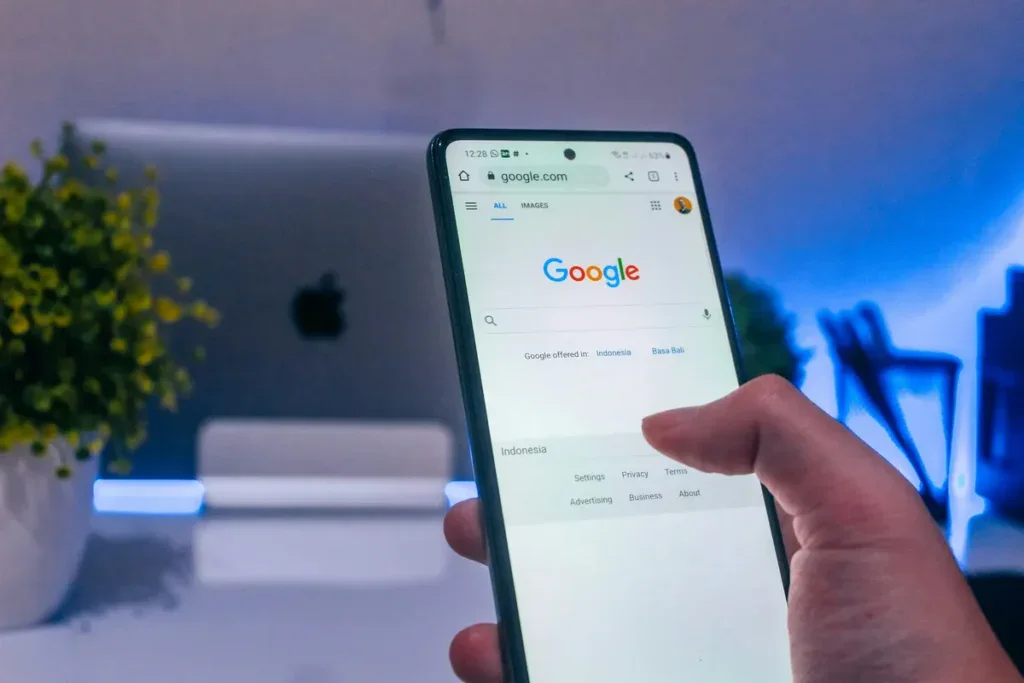
Data suggests that over 57% of searches happen on mobile devices. If your landing page frustrates the user, you can have the perfect Google ads for urgent care and still waste money.
Ensure your landing page is optimized for mobile screens. Get straight to what the user is looking for instead of burying important information in a load of irrelevant material. Keep the page loading fast. Make it possible for the user to take an action within a few seconds of coming to your page.
To further make this possible, use large, thumb-friendly buttons for your most important call to actions (Call Now and Get Directions). You can make it sticky, so it is always visible at the bottom of the screen.
8. Tracking Success
To keep optimizing your marketing campaign, you need data, and there’s no way to get that data if you do not track any performance indicators. However, ROI in urgent care advertising can be tricky because many urgent care conversions happen offline (walk-ins). Regardless, here are a few things to track;
Call Tracking
Tools like CallRail or Google’s native call forwarding allow you to track calls generated by your ads. You can listen to a sample of recordings to ensure your staff is handling inquiries effectively.
Track “Get Directions” Conversions
You can also set up a conversion action in Google Ads so that when users click the “Get Directions” button on your location extension or landing page, you have. While not a guaranteed visit, it is a strong proxy for a walk-in patient. For example,
Offline Conversion Tracking (OCT)
For advanced tracking, you can integrate your Electronic Medical Record (EMR) system with Google Ads. By uploading hashed customer data, you can match ad clicks to actual patient visits, giving you a better estimate of your Cost Per Patient metric.
9. Managing your Competitors
Urgent care is competitive. It is common for rival clinics to bid on your brand name.
While you likely rank organically for your name, a competitor’s ad will sit above your organic listing and steal traffic from you when they bid on your name.
The good thing is you can also run a campaign where you bid on your own clinic’s name to protect your clinic’s brand reputation. Moreso, brand keywords are incredibly cheap and ensure you own the top of the page. This allows you to control the narrative around your brand name.
Conversely, you can also bid on competitor names. However, use caution. Your Quality Score will be low (because your landing page doesn’t match their brand name), making clicks expensive. It can also lead to a bidding war and may result in trademark violation.
Only use this strategy if you have an interesting offer, such as “Shorter Wait Times than [Competitor Name].”
How Blacksmith Agency Drives Patient Volume
Managing Google Ads for urgent care requires more than just setting up a campaign. You need to manage the ad and constantly optimize it with historical data from your past or ongoing campaign to ensure your Cost Per Patient remains profitable.
At Blacksmith Agency, we position ourselves as a Professional Google Ads Company dedicated to partnering with companies across the healthcare industry. We understand the uniqueness of medical marketing, especially in relation to HIPAA compliance and Google’s ad policies. To maximize results, we do the following;
- We eliminate wasted spend by using a focused negative keyword list and hyper-local radius targeting.
- Our design team builds mobile-optimized landing pages specifically engineered to convert frantic searchers into booked patients.
- We use advanced tracking of our KPIs to optimize your campaigns based on actual patient volume to the clinic, rather than just clicks
- We share periodic updates with your team so you will always know your exact Cost Per Acquisition and ROI.
If your clinic is hidden on page two while competitors dominate the map pack, it is time for a change. Ready to fill your waiting room with high-intent patients? Partner with the experts in healthcare PPC. Schedule a strategy session with Blacksmith Agency today.