




Are you terrified of losing your search traffic during a platform move?
You should be.
In 2026, an ecommerce migration is not just a technical update. It is the most dangerous SEO event your business will ever face. You are moving thousands of product SKUs, customer records, and hard-earned rankings from one infrastructure to another.
A single broken redirect can wipe out your organic traffic overnight. A botched database import can completely halt your revenue pipeline.
But staying on a slow platform is just as risky.
Data from Think with Google shows that a one-second delay in mobile load times can drop retail conversion rates by up to 20%. You need to upgrade your technology to scale. You just cannot afford the downtime.
Relying on default export tools and hoping for the best is a strategy destined for failure. To protect your digital equity and keep sales flowing without interruption, you need a precise, step-by-step strategy.
Below is the ultimate ecommerce migration roadmap designed specifically for C-level executives and technical directors.
Key Takeaways
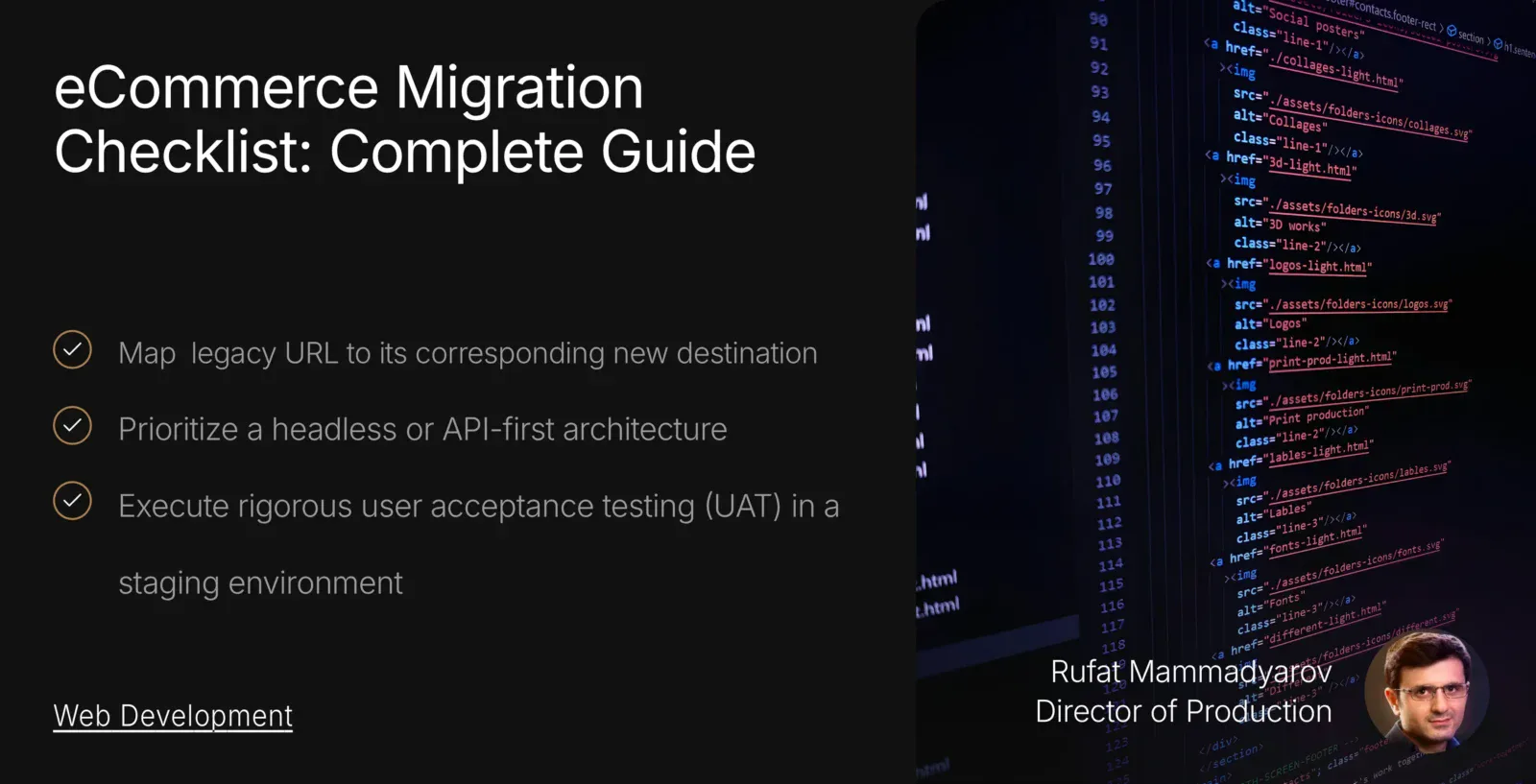
- Map every single legacy URL to its corresponding new destination using strict 301 redirects to protect your historical search engine rankings.
- Conduct a comprehensive data scrub before exporting your catalog. Do not migrate redundant inventory, broken images, or outdated customer profiles.
- Prioritize a headless or API-first architecture to decouple your frontend user experience from your backend database. This drastically improves your Interaction to Next Paint (INP) scores.
- Execute rigorous user acceptance testing (UAT) in a staging environment to validate payment gateways, third-party ERP integrations, and mobile checkout flows before going live.
- Treat the migration as a phased rollout. Actively monitor server error logs and Google Search Console for 404 anomalies during the critical first 72 hours post-launch.
What Actually Is an Ecommerce Migration?
An ecommerce migration involves more than simply changing your website’s visual theme or switching hosting providers.
It is a fundamental, structural transition of your entire digital business operations from one software environment to another. When enterprise brands migrate, for example, moving from a legacy monolithic architecture to a modern, headless setup on Shopify Plus or BigCommerce, they are essentially rebuilding their revenue engine from the ground up.
And they are doing it while the engine is still running.
This process demands the meticulous extraction, transformation, and loading (ETL) of massive relational databases. You must securely transfer thousands of complex product variations, historical order data, customer account credentials, and integrated supply chain APIs.
Furthermore, the migration requires a complete replication of your digital marketing footprint. Every metadata tag, schema markup, and internal link structure must survive the transition intact.
Search engines evaluate your website based on years of established trust and domain authority. If you alter your site architecture without providing a clear, technical roadmap for Google’s crawlers, the search engine will treat your new platform as a completely distinct, unverified entity. Rushing this specific architectural handover is easily one of the most fatal mistakes your eCommerce brand could make.
Who Needs an Ecommerce Platform Migration?
Deciding to replatform is rarely a proactive choice. It is often forced by the technical limitations of the current system. C-level managers must recognize the specific operational bottlenecks that indicate an immediate need for an ecommerce migration.
First, consider your technical debt. If your current platform requires constant, expensive developer intervention just to launch a basic promotional campaign or integrate a new payment gateway, your technology is holding you hostage. Legacy systems frequently suffer from bloated codebases that affect page load speeds and fail modern Core Web Vitals assessments, specifically Interaction to Next Paint (INP). If your site consistently fails these metrics, you are bleeding mobile conversions.
Second, if you plan to scale internationally, your platform must support multi-currency checkouts, dynamic localized pricing, and regional tax compliance out of the box. Platforms built a decade ago simply cannot handle the complexities of cross-border commerce without fragile, custom-built plugins that pose massive security risks.
Finally, if your brand wants to implement an omnichannel strategy, selling directly through social media APIs, smart devices, and in-person point-of-sale (POS) systems simultaneously, you require a modern, headless architecture.
If your current content management system cannot seamlessly push inventory data to multiple frontend touchpoints in real-time, you desperately need a platform migration to protect your future market share.
Figuring out how to design an eCommerce website that sells at an enterprise level requires an infrastructure that can actually keep up with your traffic. Delaying this transition only compounds the eventual cost of engineering a solution.
The Ultimate Ecommerce Migration Checklist
Executing a flawless transition requires a rigid, phased approach. Do not skip a single step in this sequence. This comprehensive ecommerce site migration checklist breaks down the exact methodologies our web development experts use to transition eight-figure brands safely.
Phase 1: The Ecommerce Platform Migration Planning Checklist
Thorough preparation prevents catastrophic post-launch failures. You must lock in your strategy before writing a single line of code or exporting a single database row.
1. Define Hard Business Objectives and KPIs
Never migrate simply for a visual refresh. You must define exactly what technical shortcomings you expect the new platform to solve.
Do you need to decrease page load times by 40%? Do you need to integrate directly with your NetSuite ERP? Establish strict, measurable Key Performance Indicators (KPIs) regarding conversion rates, server response times, and organic traffic retention.
Without these defined benchmarks, you cannot objectively measure the success of the replatforming initiative post-launch.
2. Audit Your Current Technology Stack
Map every single software application currently connected to your store. Identify your email marketing platforms, inventory management systems (IMS), customer relationship management (CRM) software, and customized tax calculators.
You must verify that your new target platform either natively supports these integrations or offers robust REST APIs to rebuild them.
Failing to document custom middleware or deprecated plugins during this audit will inevitably break downstream fulfillment processes. Create a centralized database that categorizes each integration as mission-critical or deprecated.
3. Assemble the Dedicated Migration Team
A migration is not a solo project for your IT director. You must assemble a cross-functional team.
This team requires a technical SEO specialist to map the URLs, a database architect to handle the data transformation, a frontend developer to optimize the user experience, and a project manager to enforce strict deadlines.
Assign a dedicated Quality Assurance (QA) lead strictly responsible for breaking the staging environment before real customers do.
4. Establish a Data Freeze Window
You cannot continuously migrate a database that is actively changing. You must establish a period immediately before launch during which you will not be able to get any new data.
During this window, you will temporarily halt backend changes, new product uploads, and content publishing on the old site. This ensures the final database export perfectly matches your active inventory.
Plan to execute a final migration just hours before the DNS switch to capture any customer orders placed during this freeze, ensuring zero lost transactional data.
5. Select the Target Architecture
Evaluate whether you require a traditional hosted platform, a platform-as-a-service (PaaS), or a fully decoupled headless commerce architecture.
In 2026, enterprise brands increasingly choose headless setups, utilizing a robust backend engine while delivering the frontend experience through high-speed JavaScript frameworks like React or Next.js.
Deciding on the best eCommerce platform for your SEO needs will dictate your long-term organic visibility. You must factor the Total Cost of Ownership (TCO), including API call limits and monthly server usage, into this architectural decision.
For a clear breakdown of these financial commitments, review our ecommerce website cost pricing guide before signing enterprise contracts.
Phase 2: The Ecommerce Platform Migration Checklist for SEO
Failing to protect your organic search footprint is the most expensive mistake a brand can make. This ecommerce platform migration checklist for SEO ensures you retain the traffic you spent years building.
6. Crawl the Existing Website Comprehensively
Before moving anything, you must know exactly what exists. Use an enterprise crawler like Screaming Frog or Sitebulb to map your current website entirely.
Extract every single URL, meta title, meta description, H1 tag, canonical tag, and structured data snippet. This raw data export should also include isolated orphan pages that your navigation menus might have missed, but search engines still actively index.
You must save this crawl data securely, as it will be your benchmark for the post-launch audit.
7. Identify Your Highest-Value Assets
Not all pages carry equal weight. Use Google Analytics 4 (GA4) and Google Search Console to identify the specific product pages, category hubs, and blog posts that drive 80% of your organic revenue.
You must flag these high-value URLs for manual review during the staging phase to guarantee their structural integrity survives the move.
Map these specific organic landing pages directly to your current revenue metrics so you can immediately spot if a top-performing category drops post-migration.
Explore how we improved Laitek’s LCP by 55% with a brand new web development strategy in our latest case study.
8. Execute Flawless 301 Redirect Mapping
This is perhaps the most important step in the entire SEO migration. When you change platforms, your URL structures will inevitably change (e.g., from domain.com/category/product to domain.com/products/product).
You have to map every single legacy URL to its exact, corresponding destination on the new site using permanent 301 redirects. Don’t take shortcuts here. Never redirect specific product pages to the generic homepage, as this creates a frustrating user experience and signals a massive soft 404 to search engines.
Avoid creating redirect chains where a legacy link bounces through multiple rules before reaching its final destination, as this bleeds important link equity.
9. Transfer and Upgrade Metadata
Do not assume your new platform will automatically generate optimized SEO titles and descriptions. You must manually migrate your finely-tuned metadata.
Furthermore, use this opportunity to upgrade your on-page SEO. Implement modern Answer Engine Optimization (AEO) strategies by structuring your product descriptions with clear, declarative answers that AI search agents can easily parse.
You can streamline and scale this content transformation by leveraging some recent AI tools used by eCommerce businesses. Establish dynamic generation rules on the new platform to ensure that future products automatically adhere to your strict character limits and naming conventions.
10. Retain Advanced Schema Markup
Your rich search snippets depend entirely on structured data. Ensure your new platform supports complex JSON-LD schema markup.
You must successfully transfer your product review aggregate ratings, price availability, and organizational schema to ensure your listings remain visually prominent in the Search Engine Results Pages (SERPs).
Run your staging URLs through the Google Rich Results Test tool to verify that the new architectural code successfully renders your schema without syntax errors.
Ready to secure your search rankings during your platform move? Contact Blacksmith Agency to map your SEO architecture today.
Phase 3: Technical Data Transfer and Architecture
Moving the actual data requires precision engineering. A sloppy database transfer results in corrupted customer accounts and broken inventory levels.
11. Scrub and Cleanse Legacy Data
Never migrate garbage data into a pristine new system. Conduct a ruthless audit of your product catalog before you initiate the export.
Delete discontinued SKUs, consolidate duplicate product tags, merge redundant customer profiles, and compress outdated, massive image files. A clean database significantly reduces query load times on the new platform.
Export your cleansed catalog into a secure CSV or JSON staging file and lock it down to prevent any unauthorized edits before the final import.
12. Map the Database Fields
Different platforms use entirely different database structures. The field your old system called “Item_Description” might map to “Body_HTML” in your new system.
Your database architect must create a rigid mapping document that dictates exactly where every single data point belongs in the target database. This prevents fatal formatting errors during the import.
Conduct several dry runs utilizing a sandbox database to verify that parent-child product variants properly link together upon import.
13. Secure Customer Passwords and Accounts
Transferring customer order histories is straightforward, but transferring passwords is a big security challenge.
Different platforms use different cryptographic hashing algorithms to secure passwords. In most cases, you cannot directly migrate passwords. You must formulate a strategic communication plan, prompting active users to securely reset their passwords upon their first login to the newly launched site.
Ensure that active payment tokens vaulted in gateways like Stripe or Braintree are cleanly repointed to the new API credentials so subscription orders continue processing without interruption.
14. Migrate High-Resolution Visual Assets
Product photography constitutes the bulk of your site’s overall weight. When migrating images, you must retain the original file names and alt-text attributes for Google Image Search continuity.
Simultaneously, route all new images through a modern compression protocol. Convert legacy JPEGs into highly optimized WebP formats to dramatically improve your Largest Contentful Paint (LCP) scores.
Connect your new platform directly to an enterprise Content Delivery Network (CDN) like Cloudflare to ensure these massive visual assets render instantly for global users.
15. Rebuild Core Service Integrations
Your ecommerce store does not exist in a vacuum. You must systematically reconnect and authenticate your payment gateways, shipping calculators, and third-party fulfillment applications.
Ensure that your new platform communicates seamlessly with your ERP to prevent selling inventory you no longer physically possess. Achieving this seamless backend sync is one of the best practices for increasing sales in B2B eCommerce.
Set up dedicated webhooks to ensure your inventory management software syncs bidirectionally with the new architecture, the exact moment an order is finalized.
Phase 4: Pre-Launch Testing and Quality Assurance
Never test a new platform on your actual customers. You must break the site in a staging environment before you ever push it live.
16. Conduct Rigorous User Acceptance Testing (UAT)
Deploy the fully built site to a secure, password-protected staging server. Your team must aggressively test every possible user journey.
Add complex variable products to the cart, apply overlapping discount codes, test the guest checkout flow, and deliberately enter incorrect credit card data to verify the error messaging functions correctly.
Use sandbox modes within your payment gateways to process dummy transactions from start to finish, verifying that the order correctly populates in your backend fulfillment software.
17. Validate the 301 Redirect Architecture
Do not trust the spreadsheet. Test the actual server responses. Crawl the staging site using your legacy URL list.
Every single old URL must return a clean 301 status code and resolve perfectly to the intended new page. If the crawler detects redirect chains (redirects bouncing to other redirects) or 404 dead ends, your engineers must correct the server rules immediately before the launch.
18. Execute Stress and Load Testing
A beautiful new website is completely useless if it crashes during Black Friday. You must simulate massive traffic spikes using automated load-testing software.
Push the staging server to its absolute breaking point. You need to ensure the underlying architecture automatically scales bandwidth and maintains sub-second response times under extreme concurrent user loads.
19. Verify Mobile-First UX and INP Metrics
Google ranks your site based entirely on the mobile experience. Engineers must test the staging site across different kinds of physical mobile devices.
Ensure all touch targets meet the strict 44×44 pixel requirement and that complex JavaScript filters do not cause the layout to shift unexpectedly. Run the site through Google Lighthouse to guarantee perfect Interaction to Next Paint (INP) scores before approving the final frontend code.
Perfecting these core technical metrics will help increase the page performance, especially for Shopify brands and complex headless architectures.
Phase 5: Post-Launch Governance and Launch Execution
The actual launch is just the beginning. The critical 72 hours following the DNS switch dictate the long-term success of your entire migration.
20. Lower the DNS Time to Live (TTL)
Days before the launch, you must drastically lower your domain’s TTL settings. This ensures that when you finally point your domain to the new platform’s IP address, the change propagates across global internet servers in a matter of minutes rather than hours. This minimizes downtime for your customers and ensures a smooth handover.
21. Lift the Staging Locks and Push Live
Execute the final, delta data sync to capture any last-minute orders placed during the freeze window.
Remove the password protection from the staging environment, implement the DNS switch, and push the new platform live to the public.
Have your customer service representatives on standby with pre-written templates to assist any users experiencing account login friction during the transition.
22. Monitor Server Error Logs in Real-Time
Immediately after launch, your technical team must monitor live server logs. Look for unexpected 500 internal server errors or an influx of 404 page-not-found errors.
When an anomaly occurs, you must deploy an immediate patch or a new redirect rule before search engine bots crawl the error and penalize your domain.
Ensure you have designed a custom, user-friendly 404 page that strategically routes lost visitors back to your high-converting category hubs.
23. Submit the New XML Sitemap to Google
You cannot wait for Google to discover your new site architecture organically. Log in to your Google Search Console account and manually submit the newly generated XML sitemap.
Additionally, use the URL Inspection Tool to manually request the indexing of your highest-value category hubs. This forces Google to process your 301 redirects immediately and speeds up the transition of your search equity.
24. Execute the Post-Launch SEO Crawl
Run a final, comprehensive crawl of the live website and compare the data against your pre-migration benchmark.
Verify that all H1 tags match, ensure no staging URLs accidentally leak into the live index, and confirm that your canonical tags properly point to the new domain structure. Address any discrepancies within the first 48 hours to secure your SEO equity.
Schedule a mandatory 30-day post-launch review to evaluate the initial KPIs set in Phase 1 and confirm organic stability.
Enjoy Premium eCommerce Web Development Agency Services
The reality of modern digital commerce is unforgiving. An amateur migration will decimate your revenue pipeline and erase years of organic search dominance overnight.
At Blacksmith Agency, we position ourselves as your premier eCommerce Web Development Agency, bringing the specialized technical expertise necessary to transition your brand to modern, scalable architectures without any errors.
From the rigorous initial database mapping and headless architecture design to zero-downtime DNS deployment and active post-launch governance, we manage the entire lifecycle of your replatforming initiative. We ensure your new platform looks incredible, loads instantaneously, and dominates search results.
Ready to execute a flawless platform transition and accelerate your digital growth? Partner with the industry experts.
Contact Blacksmith Agency today to schedule your consultation and protect your digital equity.